
Built for local businesses.
More 5-star reviews, less chasing. QR stickers and cards for the counter, the chair or the front desk, automatic text and email requests, and one dashboard for every review. We set it up. Customers scan. Reviews roll in.
More 5-star reviews, less chasing. QR stickers, cards, and automatic text and email requests, with one dashboard for every review.
No card needed. Cancel anytime.
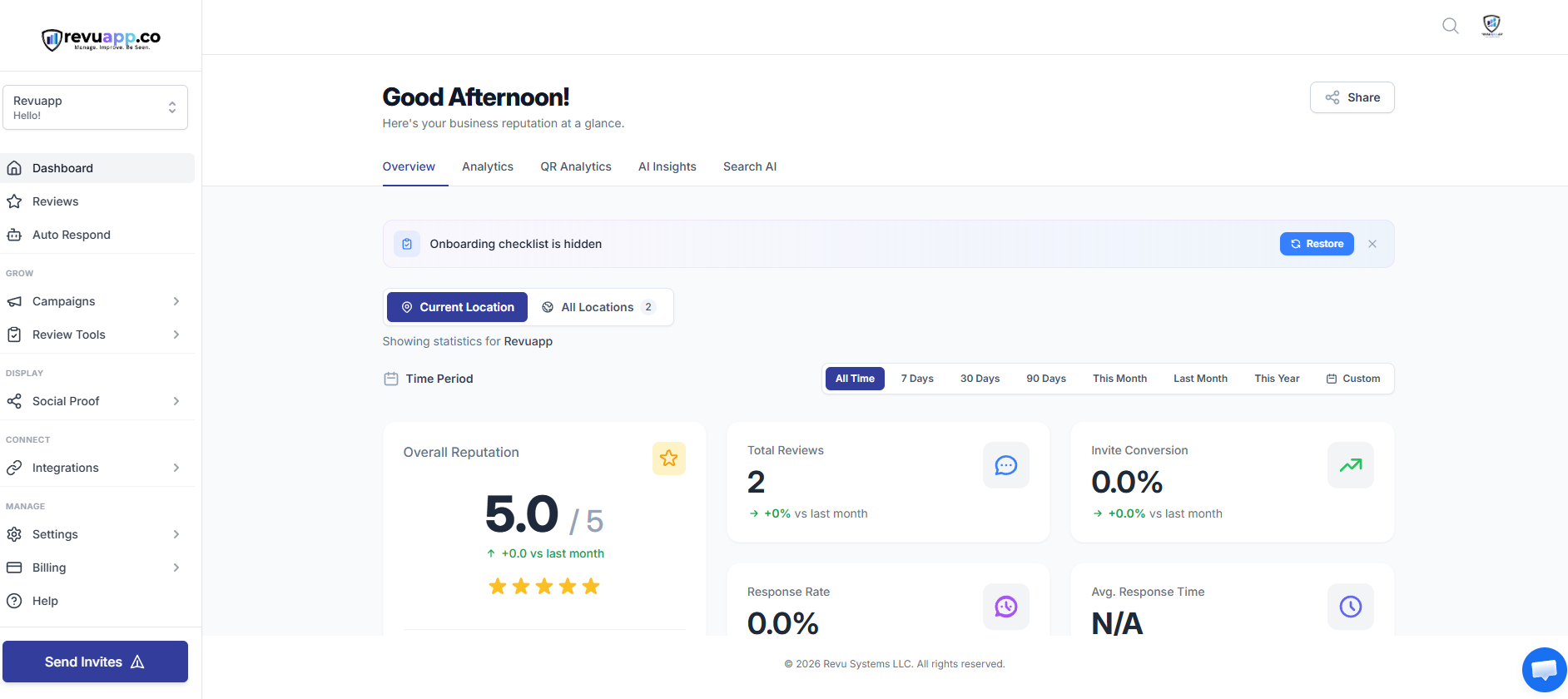
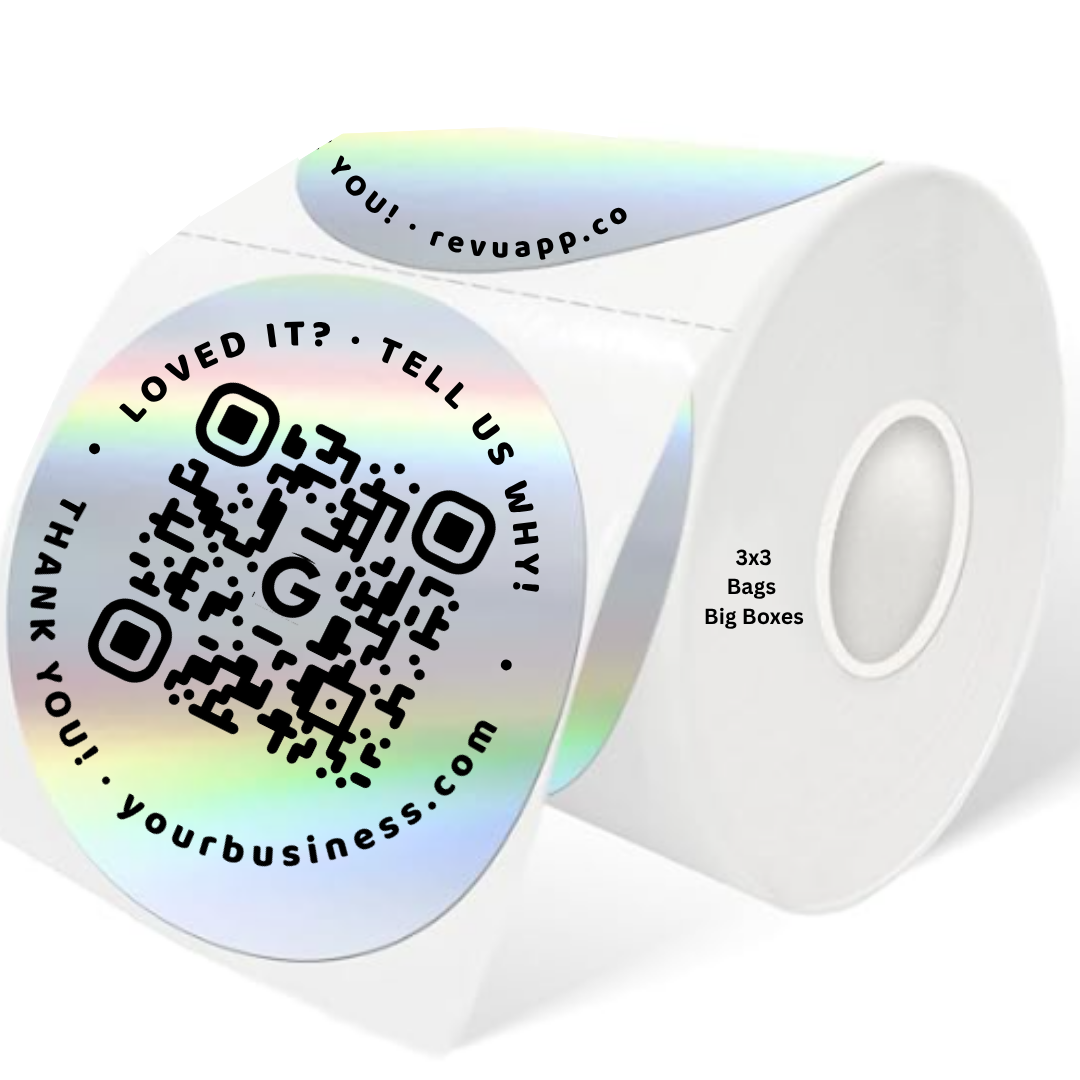 Scan me
Which one keeps you up?
Tap a card to flip it and see the fix.
Built for restaurants.
More 5-star reviews, less chasing tables. A QR sticker for the bag or the receipt, a card for the table, and a full reputation dashboard behind it. We set it up. Guests scan after the meal. Reviews roll in.
.png)
We put the ask right in front of them
The sticker goes on the bag, the box, or the receipt at the POS, wherever the guest already has something in hand. No awkward ask from staff.
Stickers on bags and receipts
Where takeout and delivery guests are already holding something.
Cards at the table
Left with the check. Your server writes their name on the back.
Text after an online order or reservation
Add the guest once. The system asks, then follows up.
BCC on receipts and reservation emails
Add one address to emails you already send. The ask runs itself.
Guests read before they book
Most diners check recent reviews before choosing where to eat.
Replies bring people back
Auto Respond drafts a reply in your voice for every review.
Know what guests say
AI Insights reads every review and shows what to fix first.
Built for spas and salons.
Your clients love you in the chair. The review usually gets forgotten by the time they reach the car. Put the ask where the visit ends: the mirror, the checkout counter, or a text a few hours later.
QR at the mirror or checkout
A small sticker where clients are already looking. They scan, it takes about ten seconds.
A card with the stylist’s name
Hand it over at checkout. A personal ask from the person who did their hair works better than a generic one.
Text after the appointment
Add the client once and the system asks, then follows up if they haven’t reviewed. Stops once they do.
BCC on booking emails
Keep sending confirmations and receipts the way you do now. Add one address and the ask happens by itself.
Clients name the person and the service
Reviews that say who did the work and what they had done help the next person choose.
Repeat clients are easy to reach
You already have their phone number and email from booking. Core+ uses them.
Replies in your voice
Auto Respond drafts a reply to each review. You approve it, or set rules for the 5-star ones.
Built for gyms and studios.
Members are at their happiest right after a good class, and that is exactly when they have a phone in their hand. Ask then, and keep asking the ones who joined last month.
QR by the water station or front desk
One scan, no app, no login. Put it where people linger after class.
A card from the front desk or instructor
Handed over with a name on the back. Personal beats a poster on the wall.
Text after a milestone
First week, first month, 50th class. Add members once and the campaign asks and follows up for you.
BCC on membership emails
Receipts, renewals and class confirmations can all trigger the ask, with no extra typing.
You already have a member list
Names, phone numbers and emails are in your system. Core+ puts them to work.
New members check you out online first
A steady stream of recent reviews is what a trial-pass shopper reads before they walk in.
Every review in one inbox
Google, Facebook and the rest in one place, with a reply drafted for each.
Built for home service pros.
Homeowners pick the plumber, the roofer or the cleaner off Google Maps, and they read the reviews first. Ask while the job is fresh, from your phone or the invoice, not three weeks later.
A card left with the invoice
The tech writes their name on the back and leaves it on the counter. The ask is in the customer’s hand.
QR on the estimate or invoice
Print it once on your template. Every job after that carries the ask.
Text after the job
Mark the job done, add the customer, and the text goes out. Reminders follow if they haven’t answered.
BCC on invoice emails
Works with Gmail, Outlook and most invoicing tools, including QuickBooks. Add one address and you’re set.
Reviews decide who gets the call
For a service you can’t try first, recent reviews do most of the selling.
Good work stays hidden without the ask
Most happy customers never think to review. A text with a direct link makes it a ten-second job.
Built for busy crews
The ask runs on its own, so nobody has to remember to do it after a long day.
Built for auto shops and detailers.
People are nervous about repairs and they ask around. A shop with fresh, honest reviews feels safer. The best time to ask is pickup day, when the car is running right and the customer is relieved.
QR on the invoice
On the paperwork the customer takes with them. They can review from the parking lot.
A card in the bag with the keys
The service writer writes their name on it. One more thing in the customer’s hand.
Text at pickup
Add the customer when the work order closes. A friendly text goes out, with reminders if needed.
BCC on estimate and invoice emails
The emails you already send can carry the ask, with no extra step.
Trust is the whole sale
New customers look for proof that other people were treated fairly. Reviews are that proof.
Replies show how you handle problems
A calm, quick reply to a bad review tells the next customer a lot. Auto Respond drafts it, you approve it.
Know what people say
AI Insights reads every review and tells you what customers like and what keeps coming up.
Built for health and wellness practices.
Dietitians, therapists’ offices, chiropractors, med spas and clinics all depend on word of mouth. Reviews are how that word of mouth travels online. Ask at the end of the visit, in a way that feels natural.
A card or QR at the end of the visit
Hand it over at checkout or leave it at the front desk. Quiet, simple and no pressure.
A follow-up email
A short note after the appointment with a direct link to the review page.
Text after the visit
Opt-in clients can get a short text with the link. Messages stop once they respond.
BCC on appointment emails
Reminders and receipts you already send can carry the ask.
Referrals start online now
People check reviews before they book a first appointment.
Everything in one dashboard
Reviews from Google and other sites, with a reply drafted for each, all in one place.
Your account, your rules
You set what goes out, to whom, and when. Nothing sends without you setting it up.
Customers read reviews before they call.
Source: 2026 national consumer survey (1,002 US adults).
Not just software.
A working system.
RevuApp gives you a platform you log into anytime, and a system running in the background that collects reviews, drafts your replies and shows you what customers are saying.
- ⭐
Reviews across platforms
Every scan tracked. Every review seen. Google, Facebook, Yelp, TripAdvisor, and 63 more.
- 🛡
Public review and private feedback, side by side
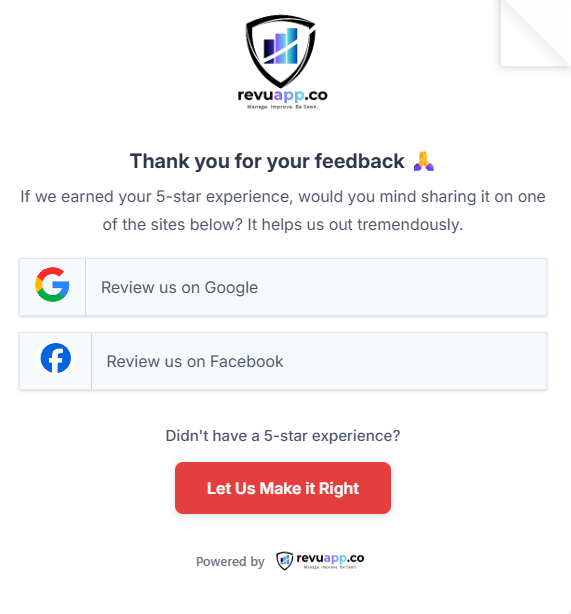
Every customer sees both options together. Nothing hidden, nothing auto-routed by rating.
- 🤖
Your replies, your way
Let AI reply automatically, review each draft first, or get an email for every review and reply from the dashboard, with an AI draft or in your own words.
- 📊
Full visibility, always
Reviews as they arrive, campaign results, trends, and up to 3 locations on one screen.
- 🔔
Removed-review alerts New
Google sometimes deletes a review and never says why. Connect your Google profile and we check every week, and sooner if your count suddenly drops. You get an alert, and a Removed tab shows the date we spotted it.
Scan. Review. Done.
Stickers, cards and counter stands, with your business on them.
First stickers free on activation. More are a small charge.
- 📊
Start with a form you can track
Your QR can lead to a feedback form first, so you see the scans come in.
- ⭐
Then point it straight at Google
Same code, new destination. It keeps working, and you can change where it goes anytime without reprinting.
Less runaround. More reviews.
Same kind of dashboard the big platforms sell, minus the sales call.
*First 500 stickers free when you activate, then a small charge.
"Typical" means common practice among larger review platforms. Details vary by company.
Two plans. Same dashboard.
Start with a 14-day free trial. No card needed.
One dashboard to manage reviews and grow your reputation across up to 3 locations. Everything you need to start, no upgrades to chase.
- Reviews from Google, Facebook and 67+ review sources in one inbox
- Auto Respond: AI replies automatically, drafts for your approval, or you reply yourself
- AI Insights: every review read for you, with a plain to-do list
- Search AI: see whether ChatGPT, Gemini and Perplexity mention you
- Local rankings and a competitor comparison
- QR codes, NFC tags, stickers and review cards
- Feedback forms and an AI helper for customers who get stuck
- Website widgets and one-click social posts
- Reports and team logins
- Removed-review alerts when you connect Google
Everything in Core, plus review requests that run on their own. Add a customer once. We ask, then follow up until they do it.
- Everything in Core
- Text and email review campaigns with ready-made templates
- Automatic follow-ups that stop once the customer reviews
- Email BCC: add one address to emails you already send and the ask runs itself
- Invites list, with spreadsheet upload for existing customers
- Send from your own email domain so requests look like you
More locations, or more than one business? See every plan and add-on
Not sure which? Core if customers walk in and you can hand them a card. Core+ if you have customer emails or phone numbers, like appointments, memberships or invoices.
Quick answers.
How long is the free trial?
14 days, and you don’t need a credit card to start.
Do my customers need an app?
No. They scan the code or tap the tag with their phone camera, and it takes about ten seconds.
Do you hide bad reviews?
No. Customers see the public review and the private feedback option side by side. Nothing is hidden and nothing is routed by rating.
Which plan do I need?
Core has everything for collecting reviews in person and managing them. Core+ adds automatic text and email requests, so it fits businesses with customer lists.
How many locations can I have?
Core covers up to 3 locations.
Are stickers and cards included?
Your first set of custom QR stickers is free when you activate. After that, extra stickers and review cards are a small charge, ordered separately and not part of the monthly price. The QR codes, forms and dashboard are all included.
What if Google removes a review?
Connect your Google profile and we check it every week, and sooner if your review count suddenly drops. You get an alert, and the Removed tab lists each one with the date we spotted it. If Google puts a review back, we catch that too.
Where do my reviews come from?
Google, Facebook, Yelp, TripAdvisor and more than 60 other review sources, all in one inbox.
Ready for more reviews?
Start your 14-day free trial, or log in if you already have an account.