Get Set Up in Under 5 Minutes
This guide will walk you through connecting your account, importing customers, and launching your first review campaign.

🧩 STEP 1 — SIGN IN
Log in to your account at:
- Click Sign In or Sign Up
- Enter your business details
- Access your dashboard
🔌 STEP 2 — CONNECT GOOGLE
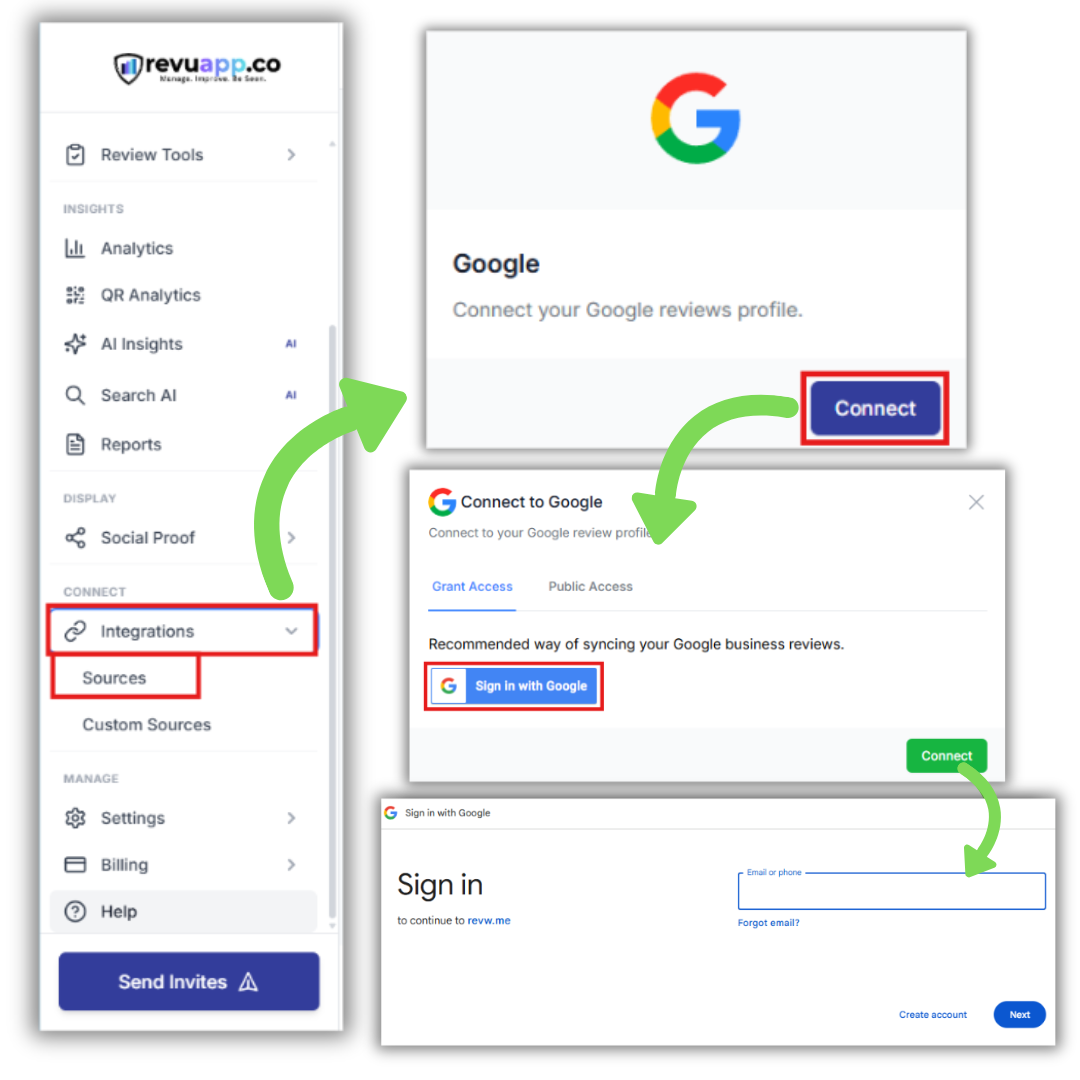
Go to the left-hand menu:
Integrations → Sources
Then:
- Select Google
- Click Connect
- Click Grant Access
This allows RevuApp to pull your review data, allow you to respond to reviews inside dashboard, and enable automated responses and campaigns.
⚡ What happens next
Your system will automatically generate:
- Review campaigns
- Customer feedback forms
- Dashboard reporting tools
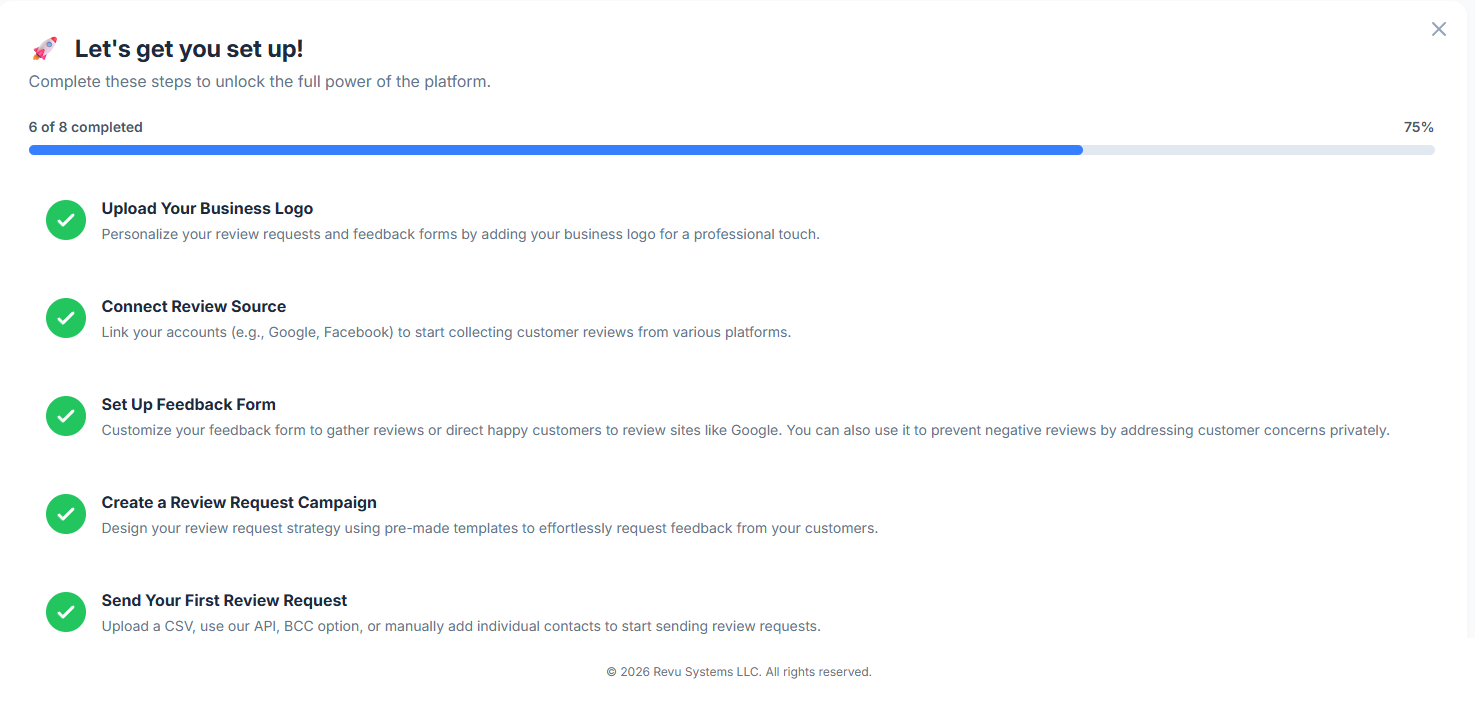
- All reflected on your personal on-boarding checklist on your new dashboard
Minimum manual setup required.
📊 STEP 3 — VIEW YOUR DASHBOARD
Once connected, return to:
Dashboard
After you send requets this is where you’ll see:
- Review performance
- Response rates
- Campaign status
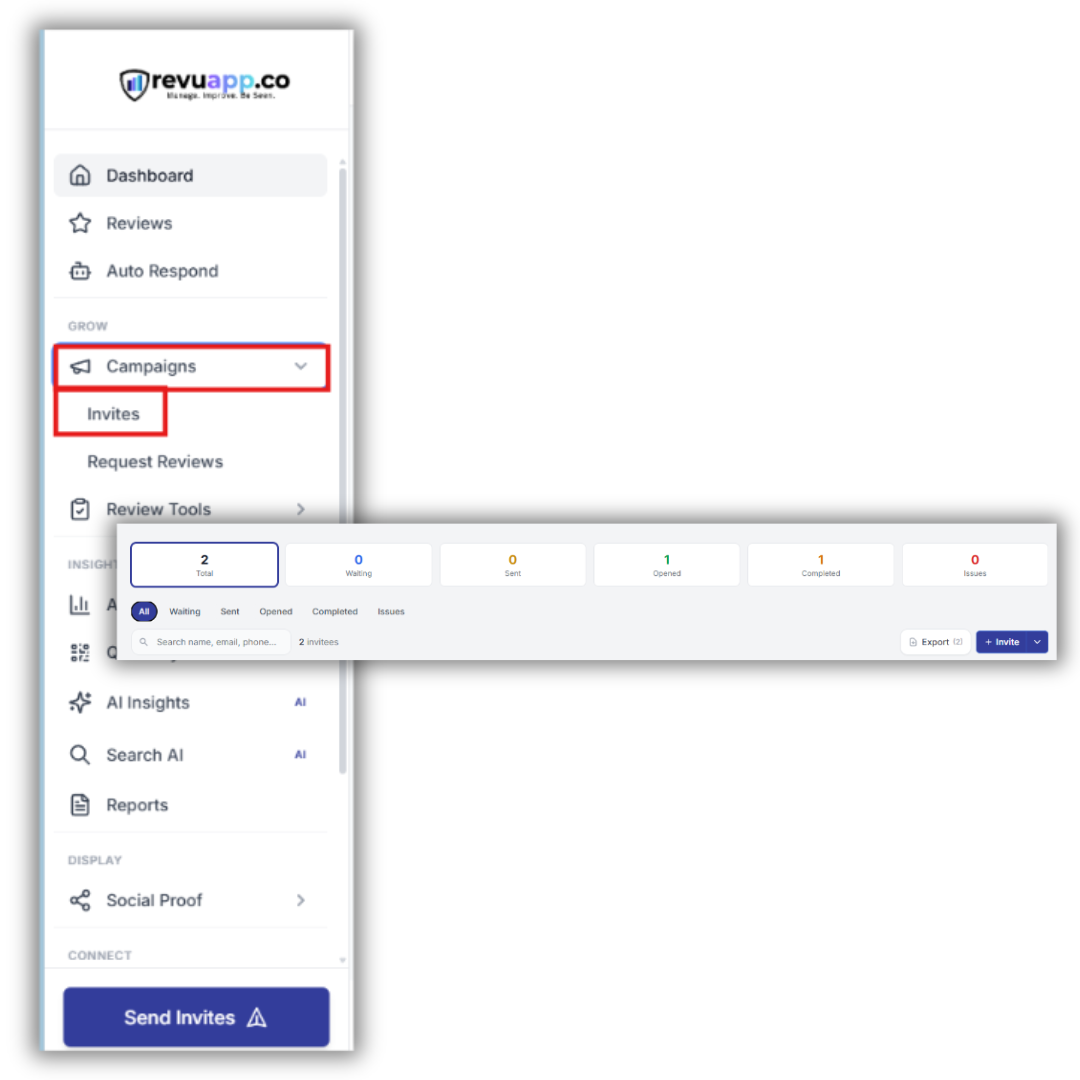
📤 STEP 4 — UPLOAD YOUR CUSTOMERS (CSV)
Upload a CSV of past or existing customers you want to request reviews from. They will be added to an automated campaign (10 requests/day recommended) with full tracking enabled.
Request Reviews → Invite Multiple Contacts
Upload your file.
Minimum required:
- Email OR phone number per contact
- CSV format (.csv file)
We recommend including:
- First name
- Last name
- Phone number (if you want sms)
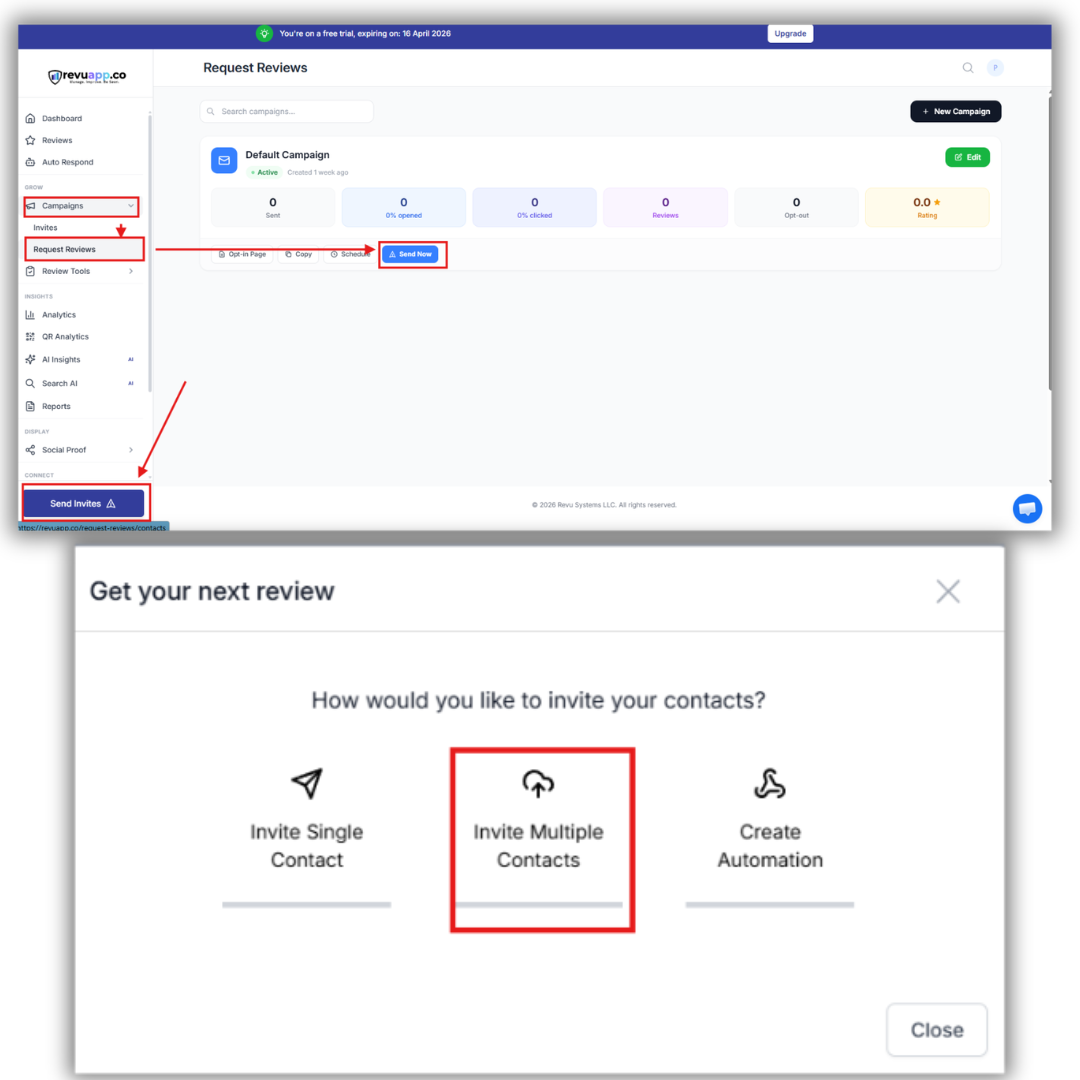
⚙️ STEP 5 — CONFIGURE YOUR CAMPAIGN
After upload:
- Select your campaign (default recommended)
- Set sending speed to:
👉 10 requests per day (recommended)
This ensures:
- Better deliverability
- Lower spam risk
- More natural review flow
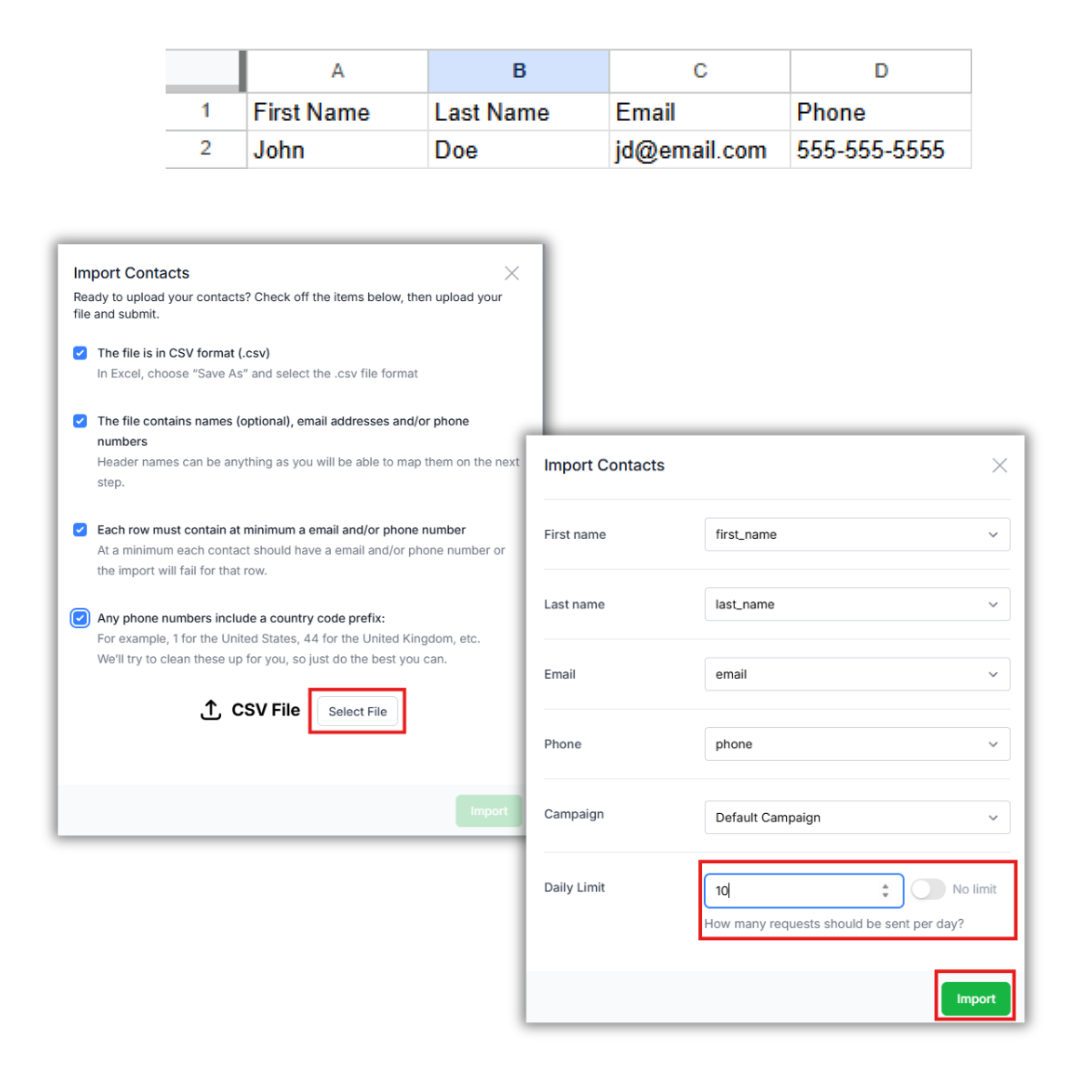
🎯 STEP 6 — LAUNCH YOUR FIRST REQUESTS
Click:
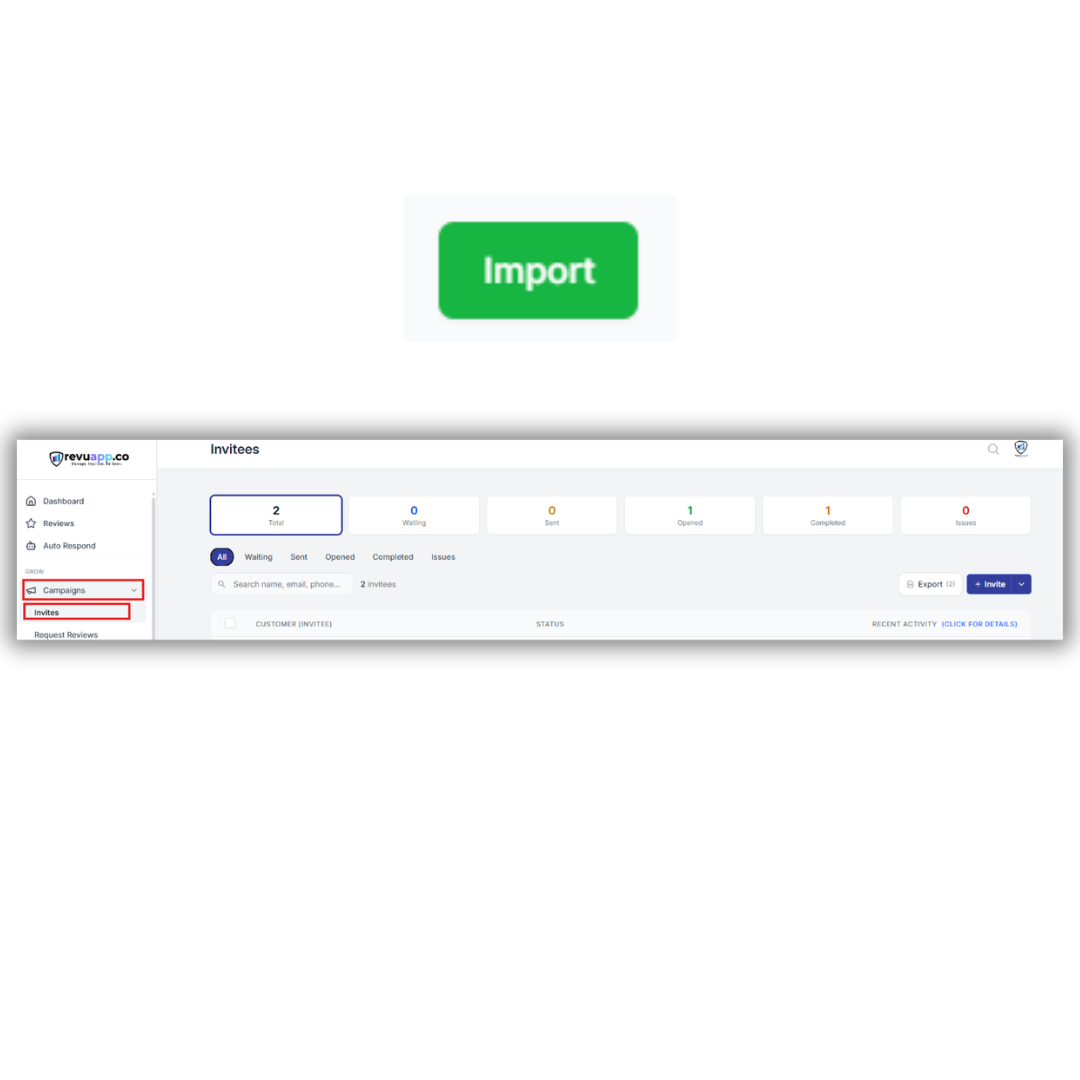
Import
Your review requests will begin sending automatically.
You can track everything inside:
Campaigns → Invites